Tuesday, 15 March 2011

Cre8tive Cards 3

These are the photos from the February Cre8tive Cards class. I hope you like :)
Firstly a paper weave heart for Valentines Day with a beautiful stamped background (the image unfortunately doesn't do it justice)

Secondly an origami flower in a choice of two colours
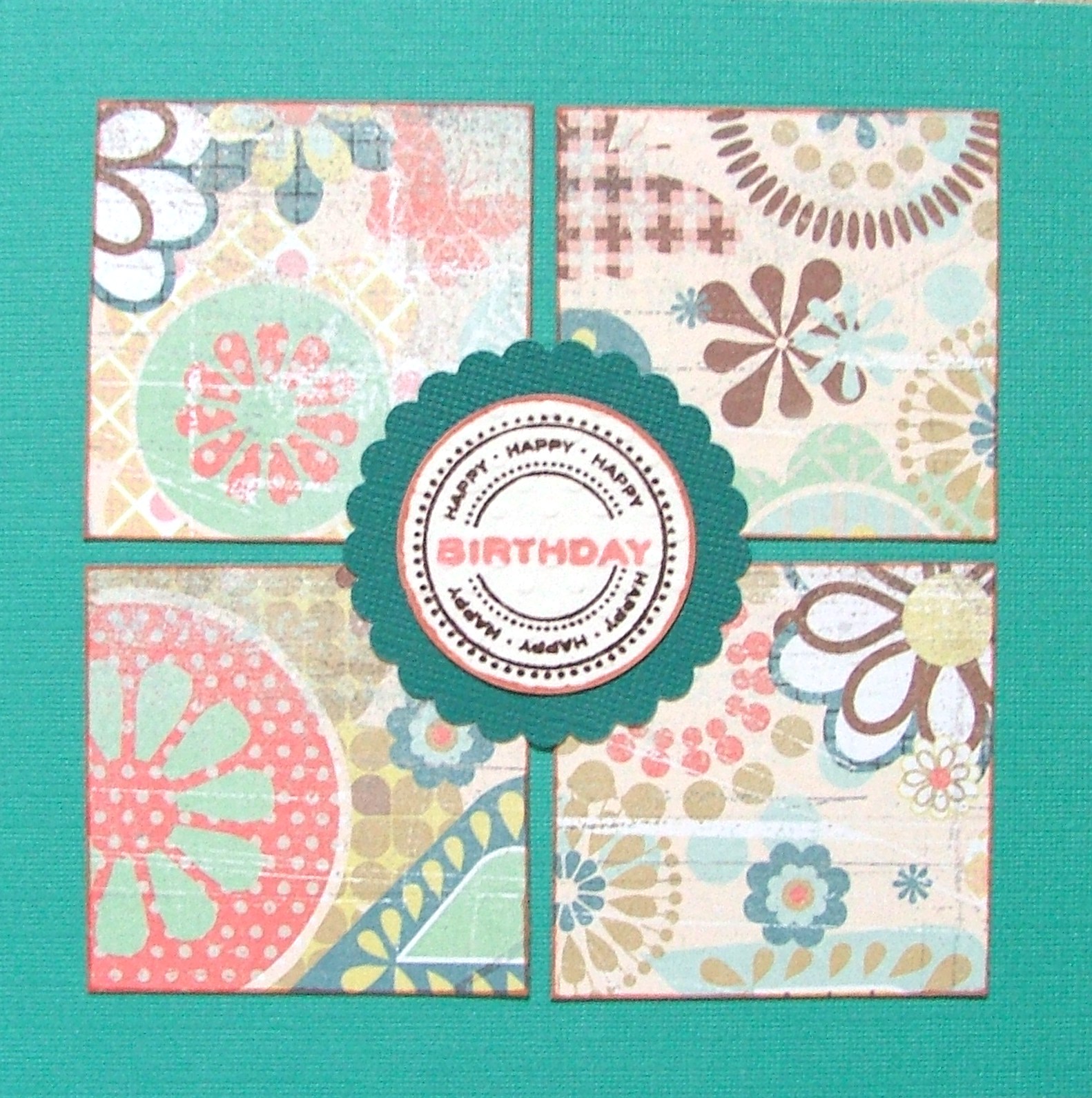
Next our technique 'Kissing'... well it had to be seeing as it was nearly Valentine's Day! The four corners of the card were all created with the same stamp and an ace stamping technique. 
And finally our Cre8tive Fold card which didn't have a single fold in it!
A cool shaped slider card... pull the point at the bottom and a secret section pops up at the top. Cool!

Monday, 14 February 2011

Sneak Peak

For those of you who are joining us for the Basic Grey Page of the Month Programme this year here is an image of the first two kits. I hope you like them :)


Wednesday, 9 February 2011

Editing Photos

I got into a discussion with some of the ladies at the crop on Saturday about how I make my photos lighter. It all started because the lady opposite me had snowy pictures and her snow looked somewhat grey. Anyway I said to her that I use Microsoft Office Picture Manager to lighten my photos. It is really easy and seems to work on most photos. I usually use it when I am photographing cards or layouts to make the colour more true. I thought I would share how I do it here in case it can help anyone else. The software was on my pc so I would think most people have it. So here is what I do...

  1. In Windows Explorer click on the file you want to open (only click once)
  2. Right click and you should have a drop down menu
  3. About half way down it says 'Open With'
  4. If you move the mouse over this it will then open another drop down menu
  5. On my menu the second item down is Microsoft Office Picture Manager
  6. Select this and it will open the photo you have selected.
  7. From the menus at the top left click 'picture' and then 'colour' from the menu that drops down
  8. On the right there is now a box which says enhance colour. Click on this box and then click on anything in your photo that is white
  9. Your computer will work out how all the other colours should look adjusting the colour that should be white back to white.
  10. See below for a before and after shot. Note the piece of paper on the left. If I don't have anything white in my photo I will put a piece of paper in shot for my white and then crop it out when I edit my photo. The paper goes from grey to white and the rest of the photo is brightened up too.


I hope this can help some of you. Let me know if it does and also if you don't understand anything!

Tuesday, 1 February 2011

Free Ribbon!

I thought it was about time we did another prize draw so if you place an order for £30 or more online during February you will be entered in our prize draw to win over £30 worth of ribbons. I will make sure the winner gets a really good selection. All you have to do is place your order and you will automatically be entered in the prize draw (and of course you will get free P&P too!) Happy Shopping!

Monday, 24 January 2011

Cre8tive Crop

We had a lovely day on Saturday and I even managed to come round and have a chat with everyone which was lovely as I don't usually get the time. I always love seeing what everyone is working on and hearing the stories behind the projects. I didn't get the camera out this time so no photos of everyone else's work I'm afraid but here is a photo of the class I taught which was a celebration of 2010. The next Cre8tive Crop is 26th March so if you are free and in the area why not join us?

Wednesday, 19 January 2011

January Cre8tive Cards

I have just finished my class for the crop on Saturday so I will give you a little sneak peak tomorrow, but for now here are the cards from the second Cre8tive Cards class last Friday.

First for the Cre8tive Fold we did a Neverending Card. I love these as they are actually quite easy to make and yet they look really complicated. In the class the hardest bit was cutting the greeting the correct way!


Secondly we learnt a brilliant way of making carnation flowers for your cards. A little time consuming but the effect is worth it. Some of the ladies found this very therapeutic.

For our technique we did stamping into UTEE. It gives a lovely 3D textural effect. We also did the great way of adding the ribbon to your card which is again really easy.

Next we did 3 different cards from our sketch. This was the basic card from the sketch... I love these colours from the New Basic Grey Hopscotch range.

Our next card used the sketch but also we used the flower technique we had learned earlier and our Cre8tive Colours for the evening taken from the necklace in the photo.

Our final card using the sketch switched the shape for the sketch to the great Journal Plate punch from EK Success (we used this last class too).

Tuesday, 18 January 2011

Cre8tive Cards

I have thoroughly enjoyed the two Cre8tive Card classes we have done so far and thought I would share the things we have made. The first class was in December so we made lots of Christmas goodies.

Firstly with our FREE stamp set we made these two cards. Nice and simple but stylish in cool blues.

Then we did a bit of recycling of old Christmas cards and made this layered card. What a great way of recycling!


We also made this stunning Christmas decoration, a Finnish Star (thanks Sue for the instructions).

And this yummy Chocolate snowman.

We have certain themes each time and one theme is Cre8tive Folds where we make cards which are  a bit different to the norm. Here are the ones we made in December.I have since discovered this is called an easel fold.


 Another theme we have each time is the Cre8tive Sketch and this is the card we made with our first sketch.

If you want to join us for the card classes they are the second Friday of the month and there is an afternoon and an evening session. If you aren't local to us you can still join in the fun. I can send you a great kit with all the instructions, papers, embellishments etc you need. You would have to use your own ink pads and stamps (you would still get the FREE stamp stocks depending). If you are interested just let me know and I'll send you more details.